FOR ALPACA ACCOUNTS • PAPER FIRST • LIVE BEHIND GATES

Your own automated trading desk, with the brakes built in.

D3NTrader watches the market, runs deterministic strategies on your watchlist, explains every decision, and can trade your Alpaca account for you inside hard risk limits. You start with simulated money. Real money needs separate approval and six independent gates.

Free during beta, no cardYour keys are encryptedKill switch always one click awayEnglish and Thai
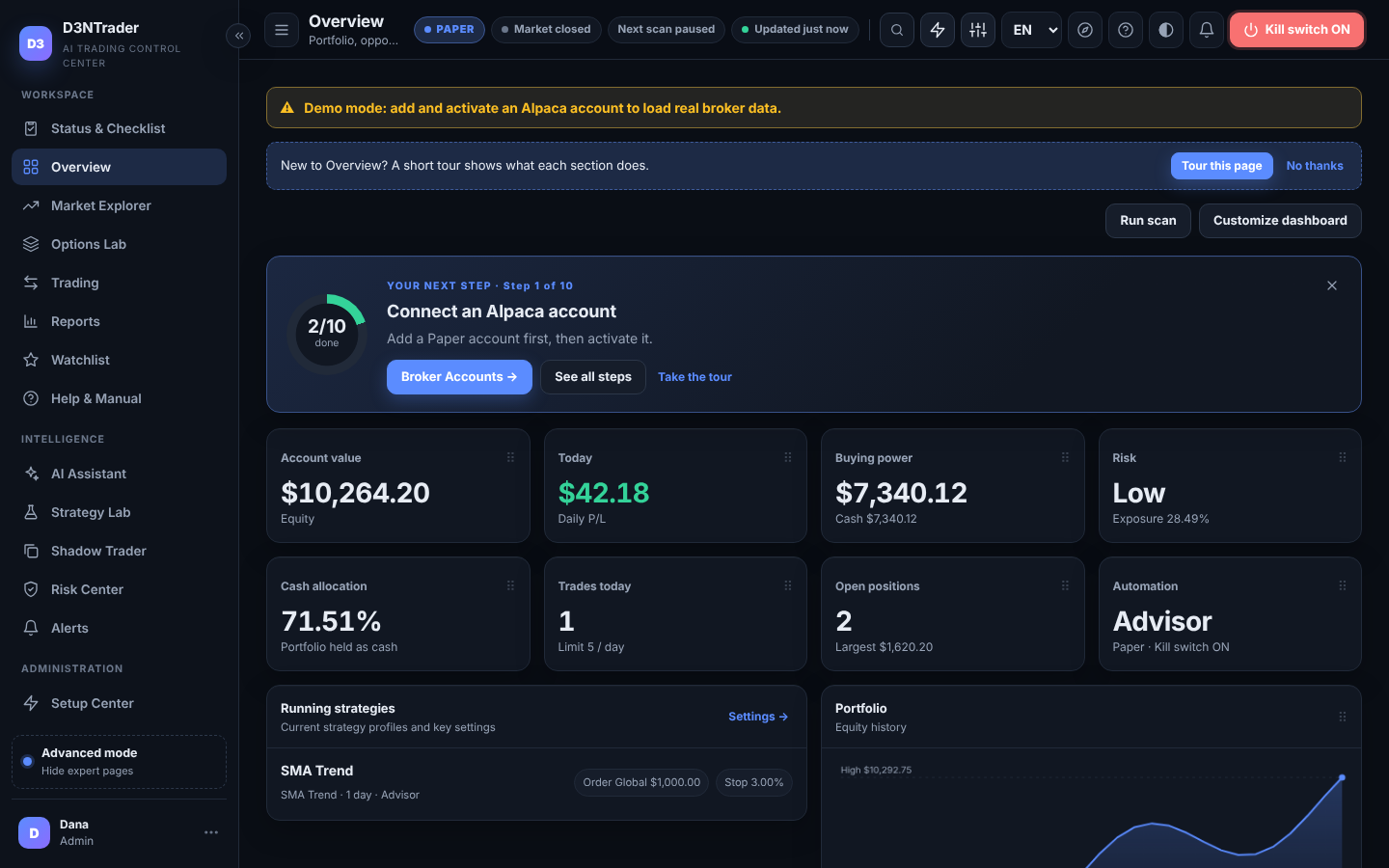
PAPER • ADVISORD3NTrader Overview dashboard with account value, daily P/L, buying power, risk level and running strategies
Works withAlpaca Markets·OpenAI·Claude·Stocks, ETFs, crypto pairs, long options
HOW IT WORKS

From sign-up to your first Paper signal in four steps.

1Create your workspace

Your own settings, broker profiles, kill switch, orders and reports. Nothing is shared with other customers.

2Connect Alpaca Paper

The setup wizard saves your Paper API keys encrypted and tests the connection.

3Pick symbols and automation

Choose a watchlist and whether D3NTrader only advises, proposes trades for your approval, or trades Paper on its own.

4Watch, learn, then decide

Reports, Shadow Trader and the Status checklist show how it is doing. Live trading is a separate, gated step.

PRODUCT TOUR

Every screen, as it really looks.

Screenshots from the app in Paper mode. Click any image to enlarge.

SETUP WIZARD

Connected in minutes, not an afternoon.

Four short steps: connect your Alpaca Paper keys (encrypted, tested on the spot), pick starter symbols, choose how much D3NTrader may do, done. Each step saves as you go and you can come back any time.

  • Paper keys only; Live profiles are added later and gated separately
  • Advisor, Assisted or Autopilot (Paper) in plain language
  • Ends on a checklist of what is done and what is optional
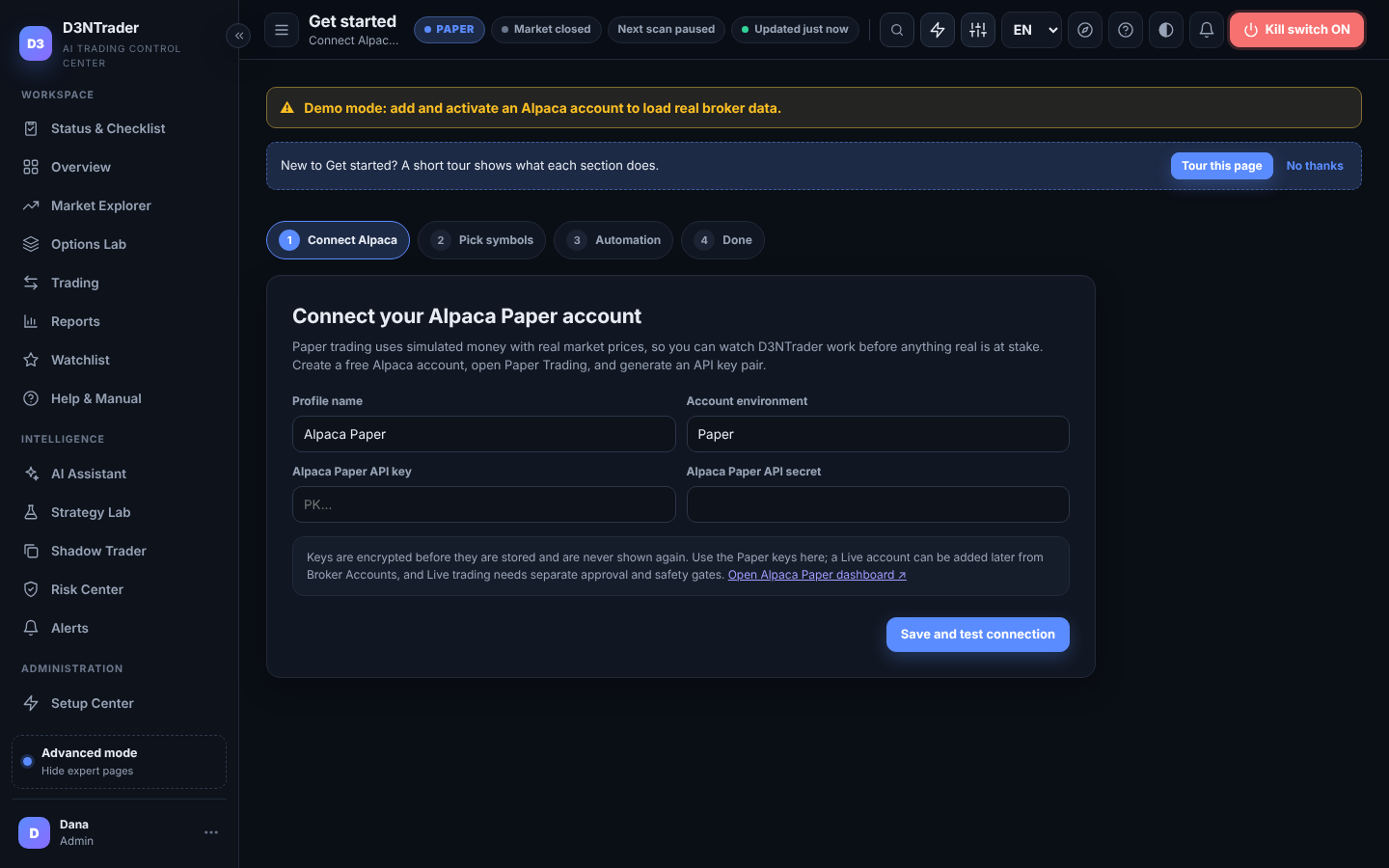
Get started wizard: connect your Alpaca Paper account
OVERVIEW

One glance tells you where you stand.

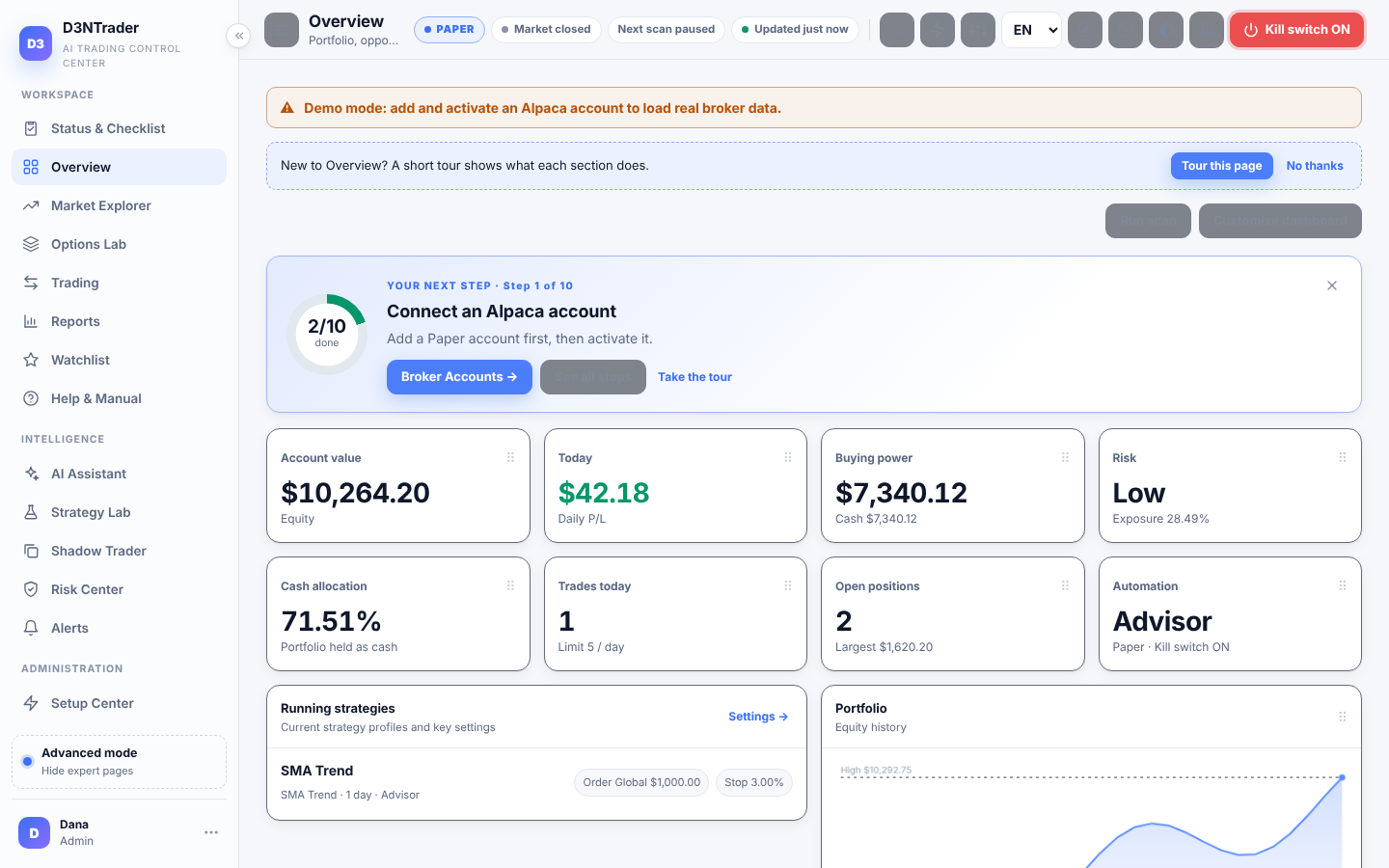
Account value, today's P/L, buying power, risk level, trades today, open positions, running strategies and your equity curve. A “Your next step” card walks beginners through setup, and every widget can be moved, hidden or resized.

  • Light, dark and system themes
  • Simple mode hides expert pages until you want them
  • Ctrl/Cmd+K search for any page, action or symbol
Overview dashboard in the light theme
STATUS & CHECKLIST

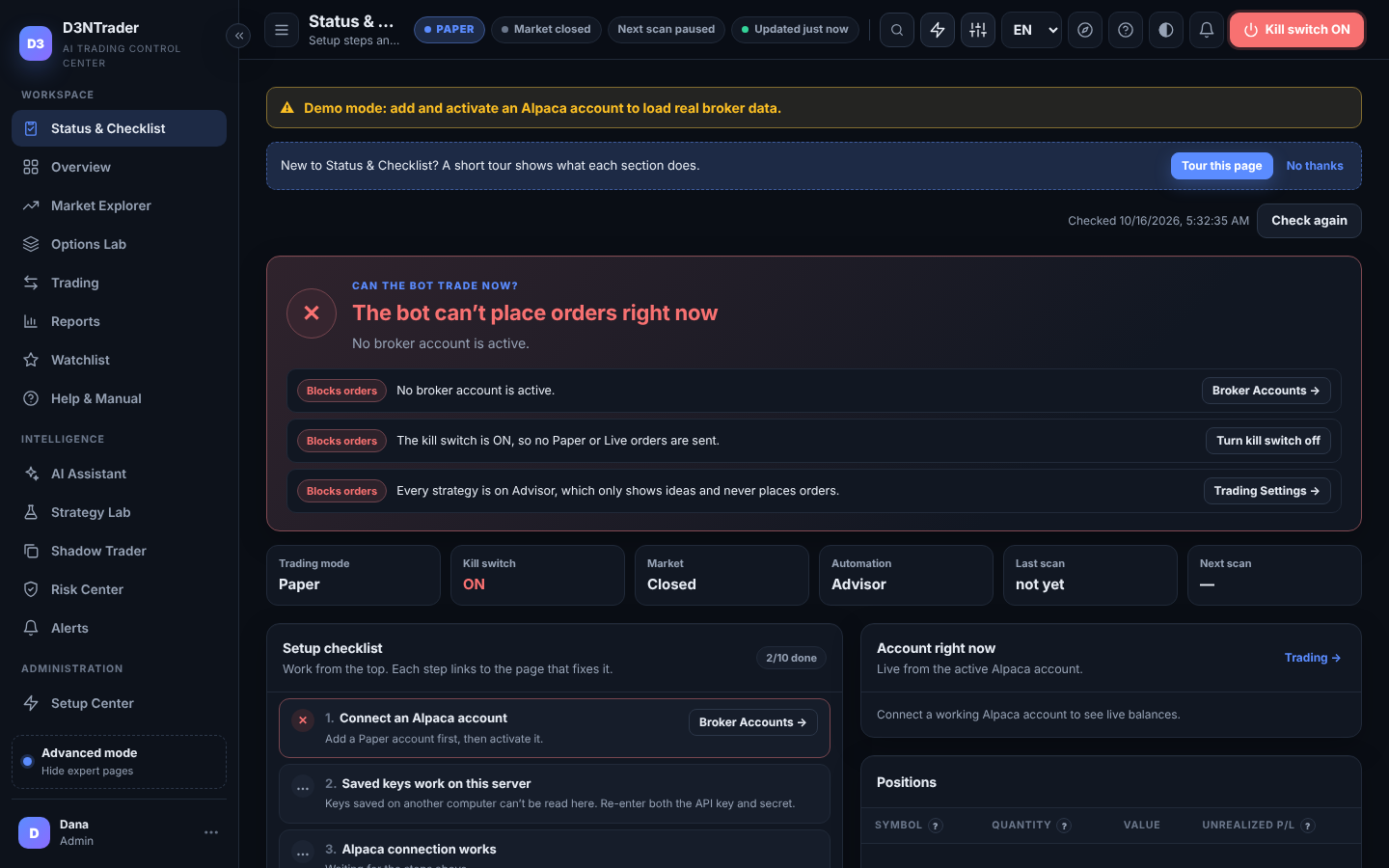
“Can the bot trade right now?” answered honestly.

Every setup step with a ✓ or ✕, the exact reason orders are blocked, waiting or ready, recent order failures with the broker's own error text, and your live account state. The same rules the trading engine uses, shown read-only.

Status and Checklist page
MARKET EXPLORER

Find candidates without babysitting a hundred tickers.

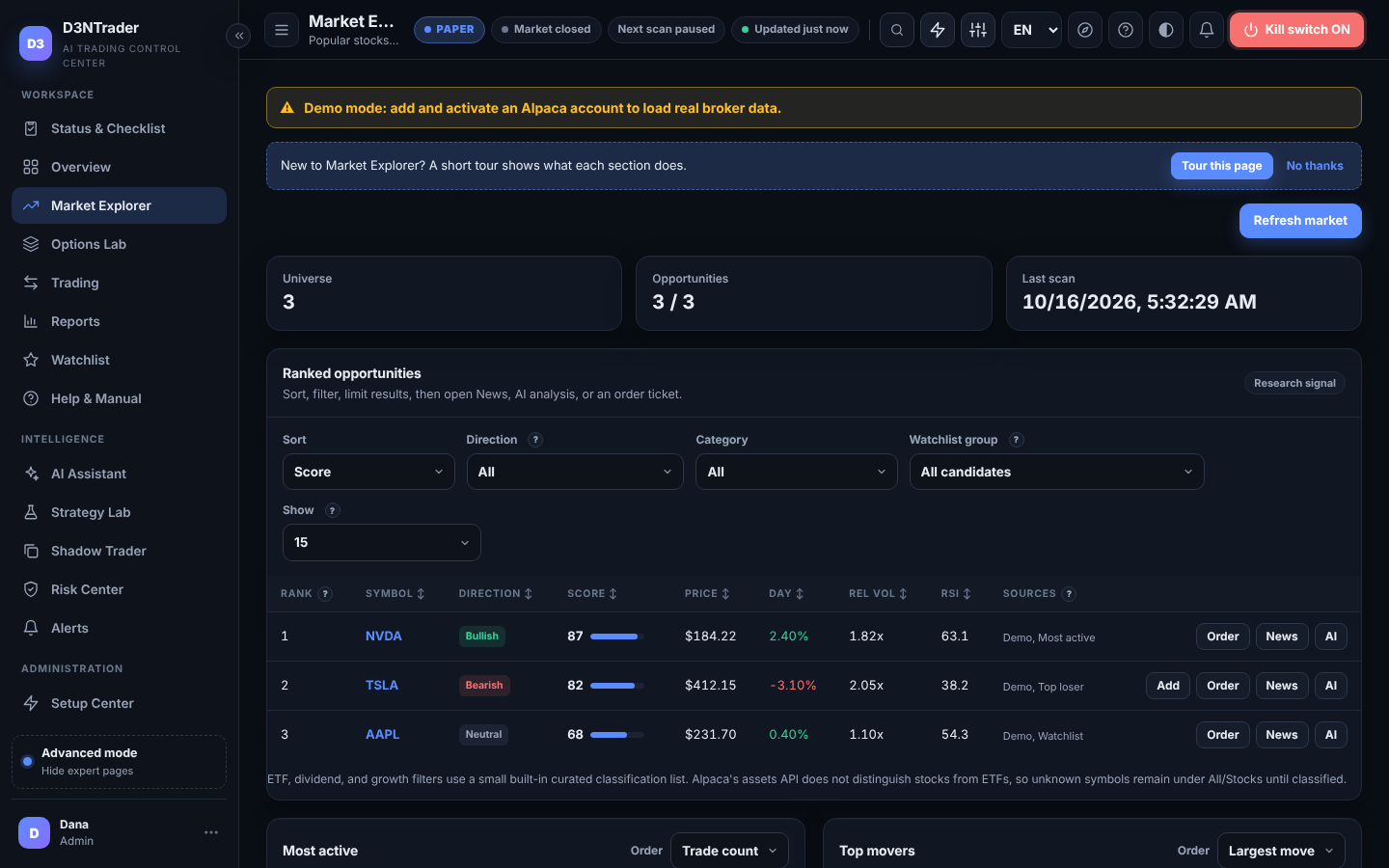
Most active stocks, top gainers and losers, ranked Opportunity Scores from trend, momentum, RSI and relative volume, per-symbol news, and interactive candlestick charts with deterministic pattern labels on five timeframes.

Market Explorer with ranked opportunities
TRADING

Explainable decisions, proposals you approve, manual orders you review.

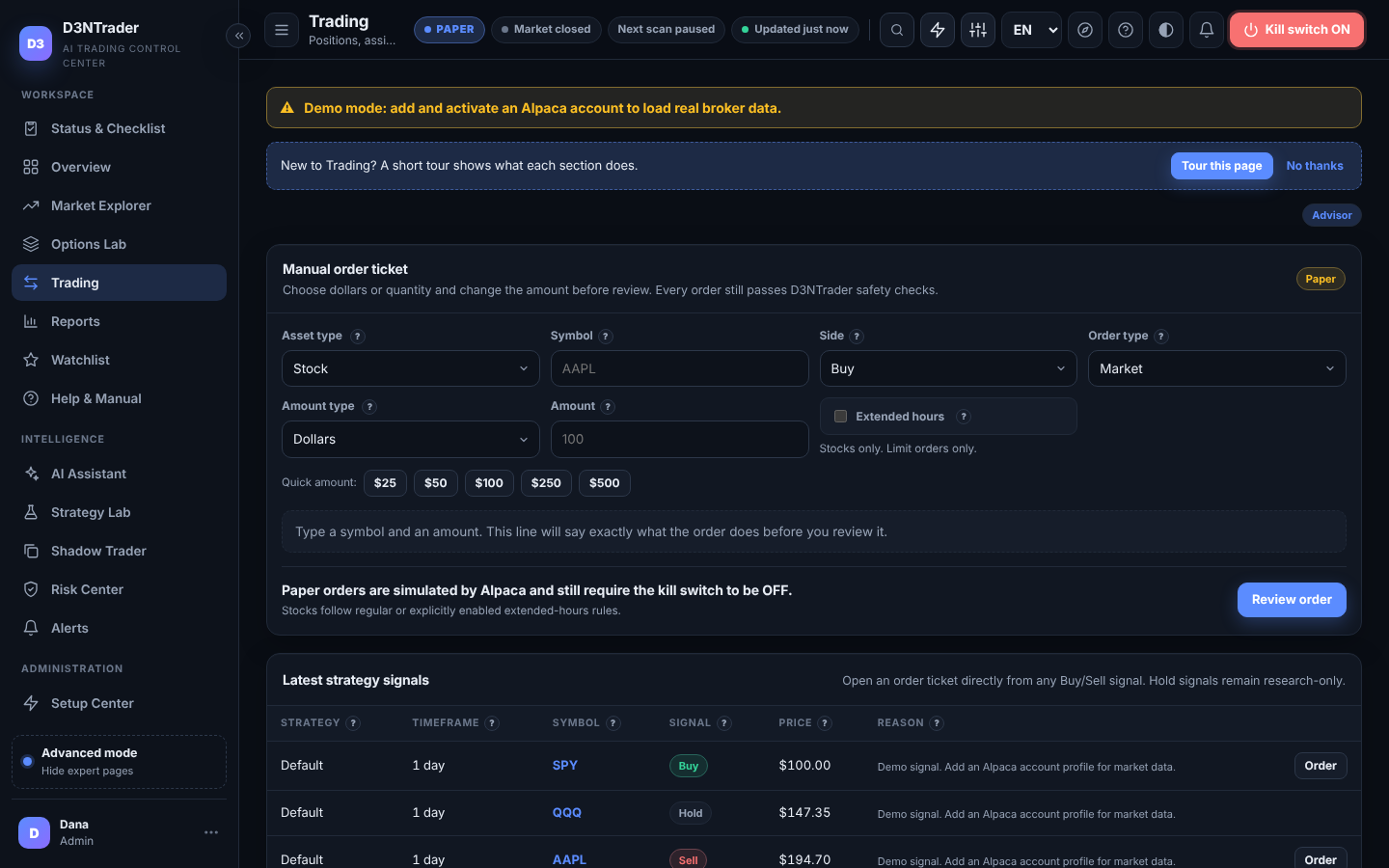
Positions, Assisted-mode proposals you can adjust before approving, a decision log that says why each signal was taken, blocked or skipped, and a manual order ticket with a plain-English summary and exact typed confirmation.

Trading page with positions, proposals and decisions
REPORTS

Daily, weekly, monthly. By strategy, by symbol.

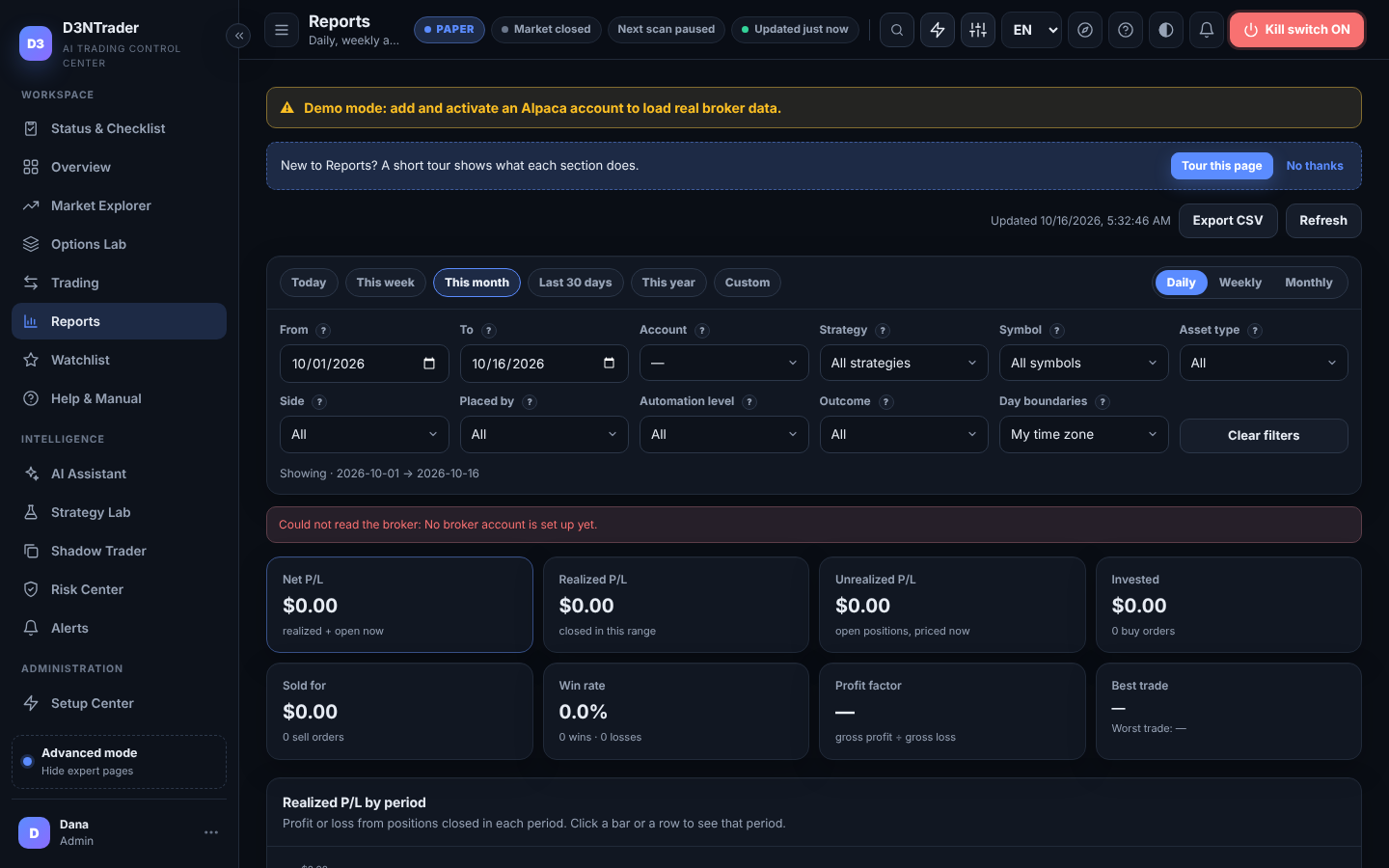
Realized P/L from your Alpaca fills matched FIFO, win rate, drill-down by strategy profile and symbol, filters for asset type, side, source and outcome, CSV export, and your own time zone.

Reports page
SHADOW TRADER

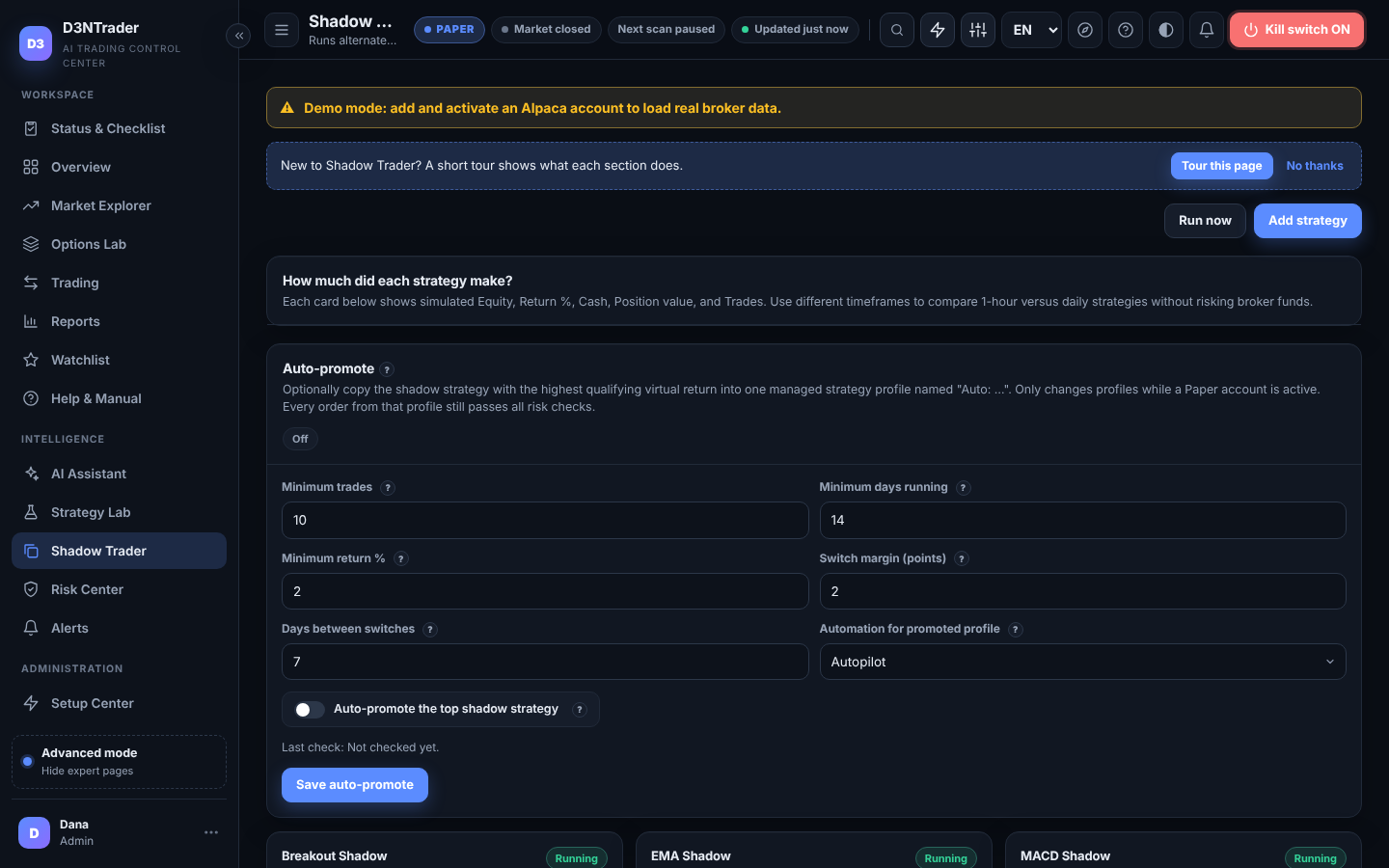
Six strategies race with virtual money while yours trades.

SMA, EMA, RSI, MACD, Momentum and Breakout each run alongside your real strategy with separate simulated equity, return and trade counts. Optional auto-promote can switch a Paper profile to the leader after minimum trades, days and return, never Live.

Shadow Trader page
RISK CENTER & SETTINGS

Limits that sit between every signal and the broker.

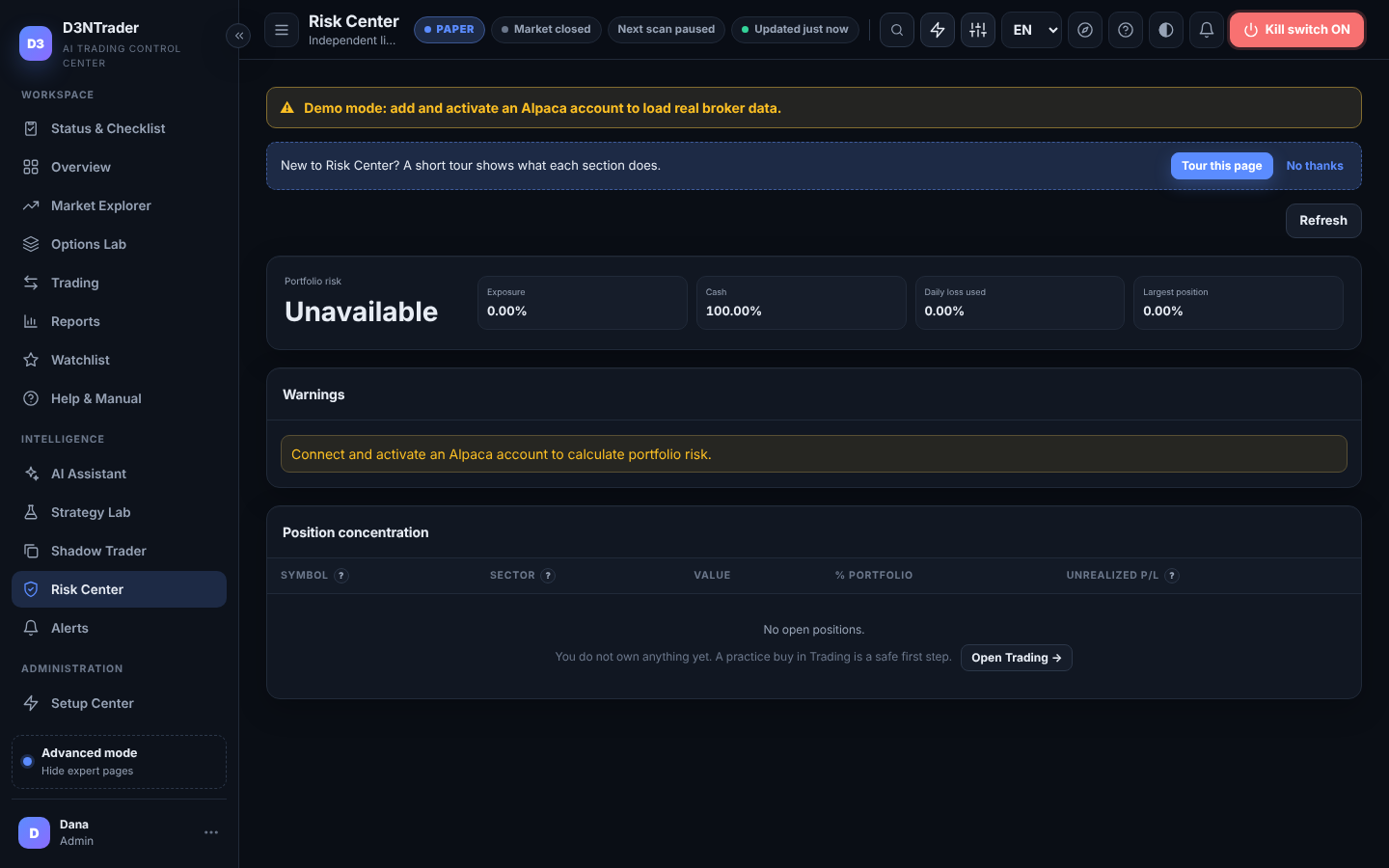
Max order and position size, daily-loss ceiling, exposure and cash reserve, trade cooldown, open-order cap, market-open guard, bracket stop/take-profit, one-trade-per-symbol-per-day and a persistent duplicate-order guard. Every field has a ? explanation.

Risk Center
AI ASSISTANT

AI explains. It never holds the order button.

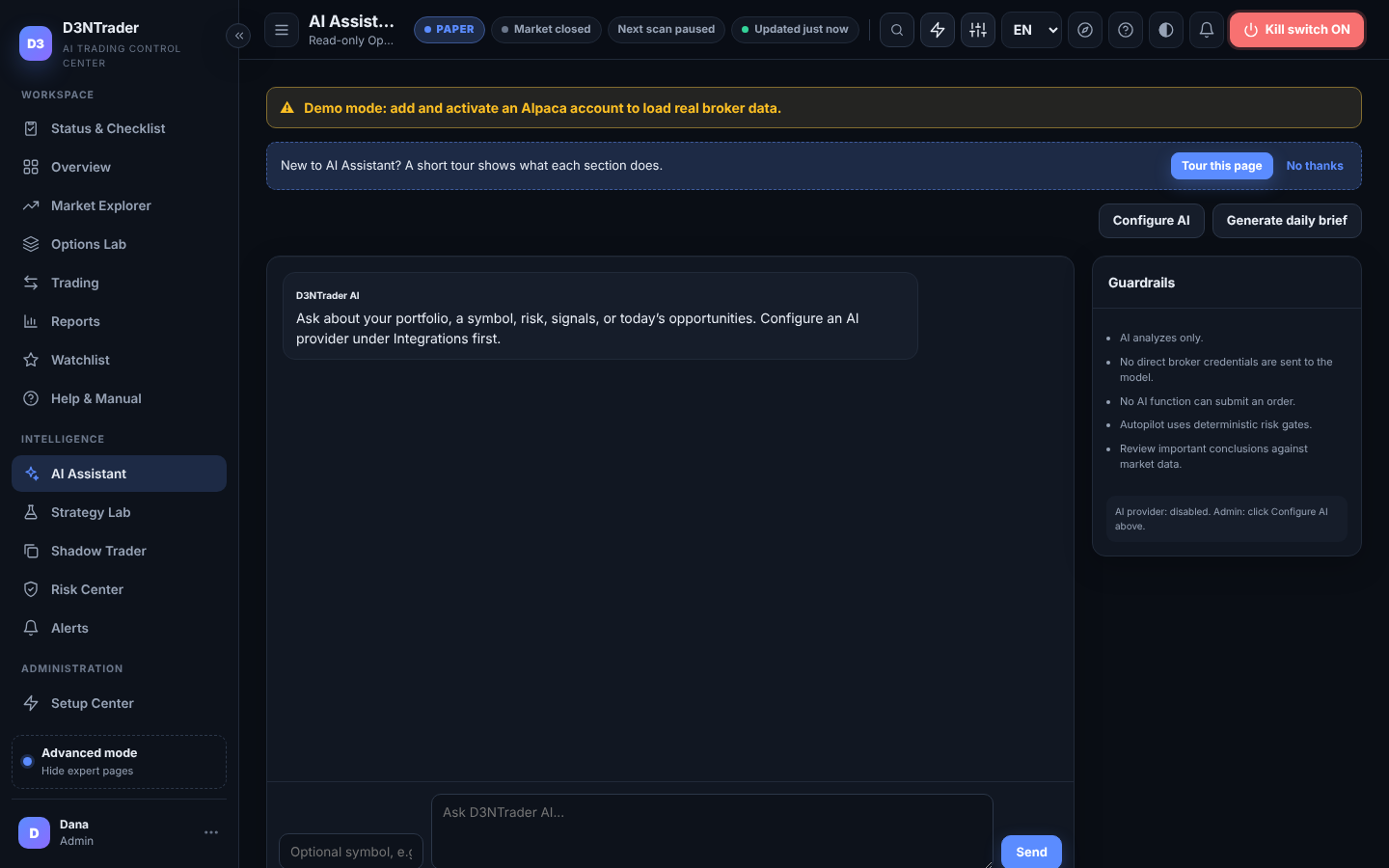
Bring your own OpenAI or Claude key. The assistant reads your portfolio, signals, opportunities and news to explain, brief and research. It can optionally veto an Autopilot candidate after the risk checks, fail-closed, and it has no broker tool, no API secret and no execution path.

AI Assistant page
EVERYTHING INCLUDED

The rest of the toolbox.

★
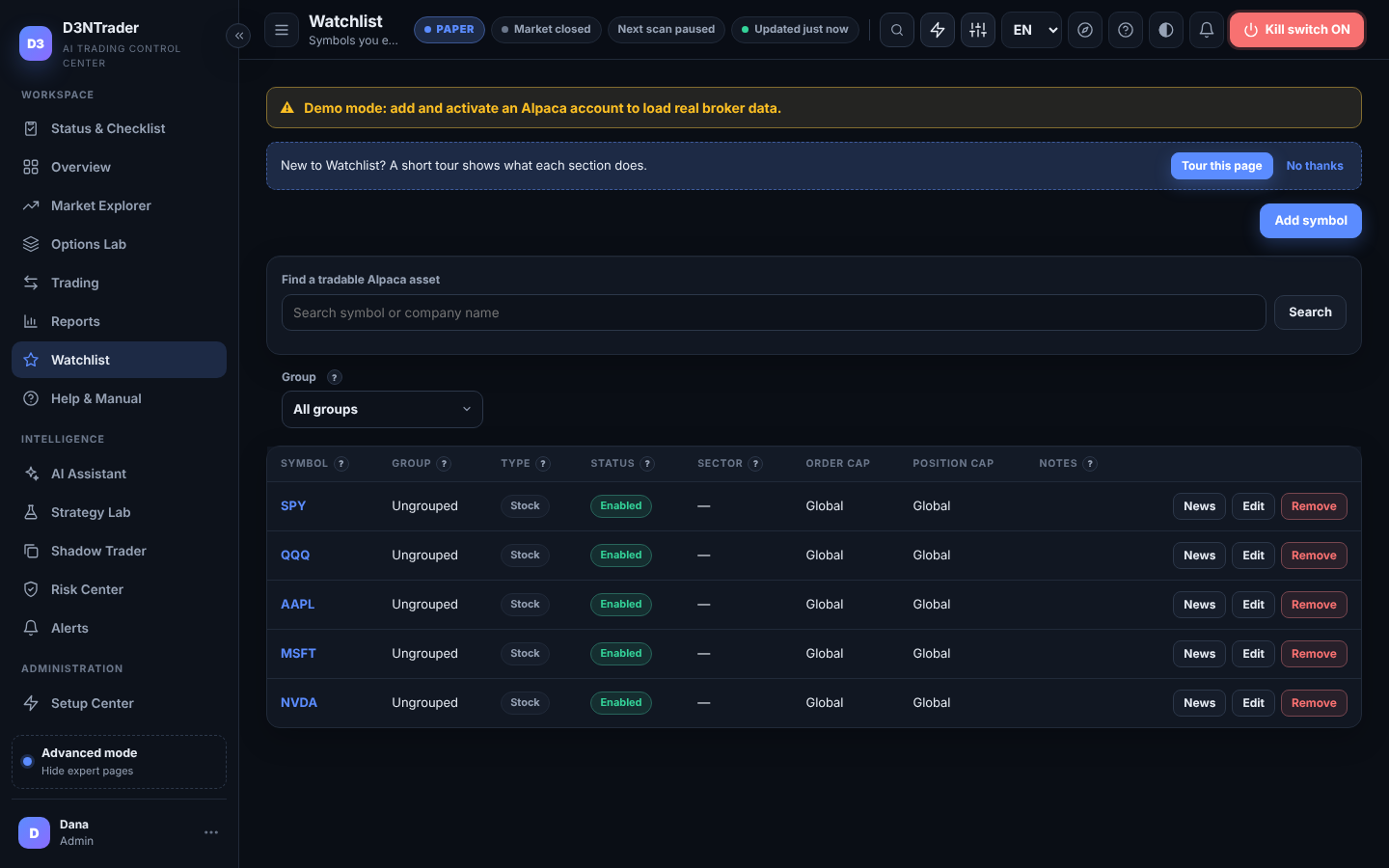
Watchlist with local limits

Stocks, ETFs and crypto pairs like BTC/USD with per-symbol order and position overrides, groups and notes.

Watchlist
⌬
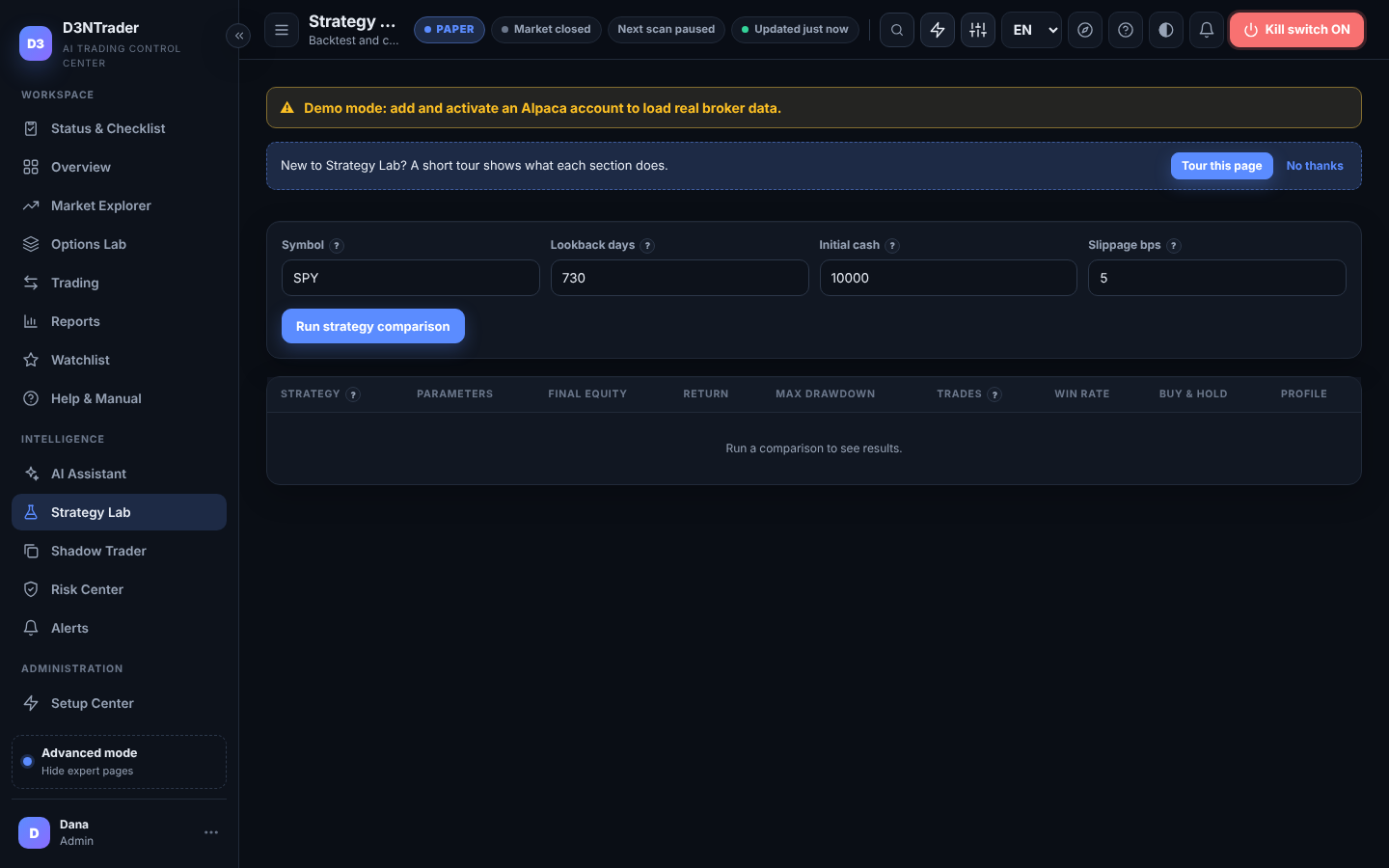
Strategy Lab and profiles

Backtest and compare SMA, EMA, RSI, MACD, Momentum and Breakout; run several profiles at once with their own timeframe, symbols and automation level.

Strategy Lab
◉
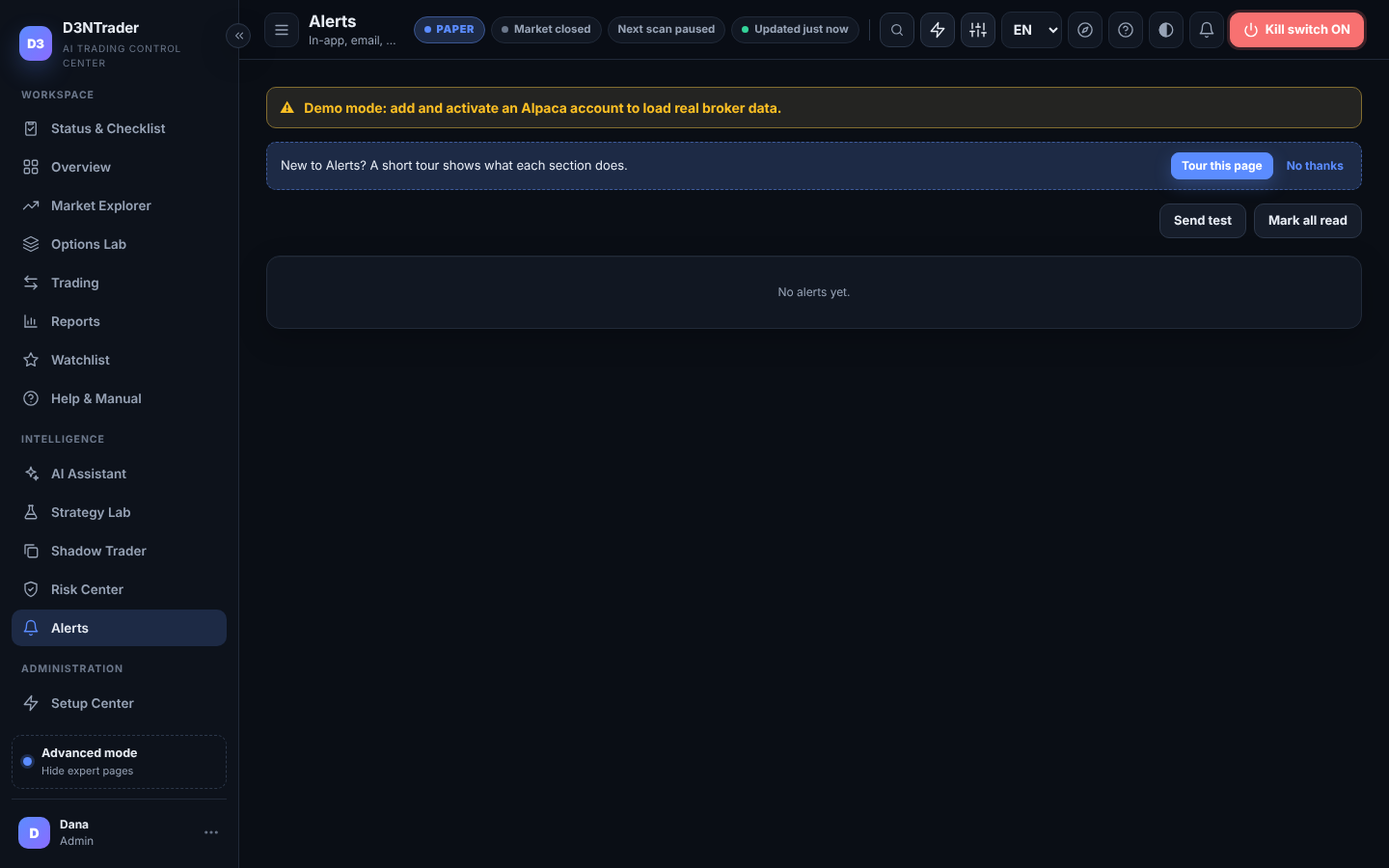
Alerts anywhere

In-app, email, ntfy push and browser notifications for trades, risk events, signals and security, with severity filters and quiet hours in your time zone.

Alerts
⚙
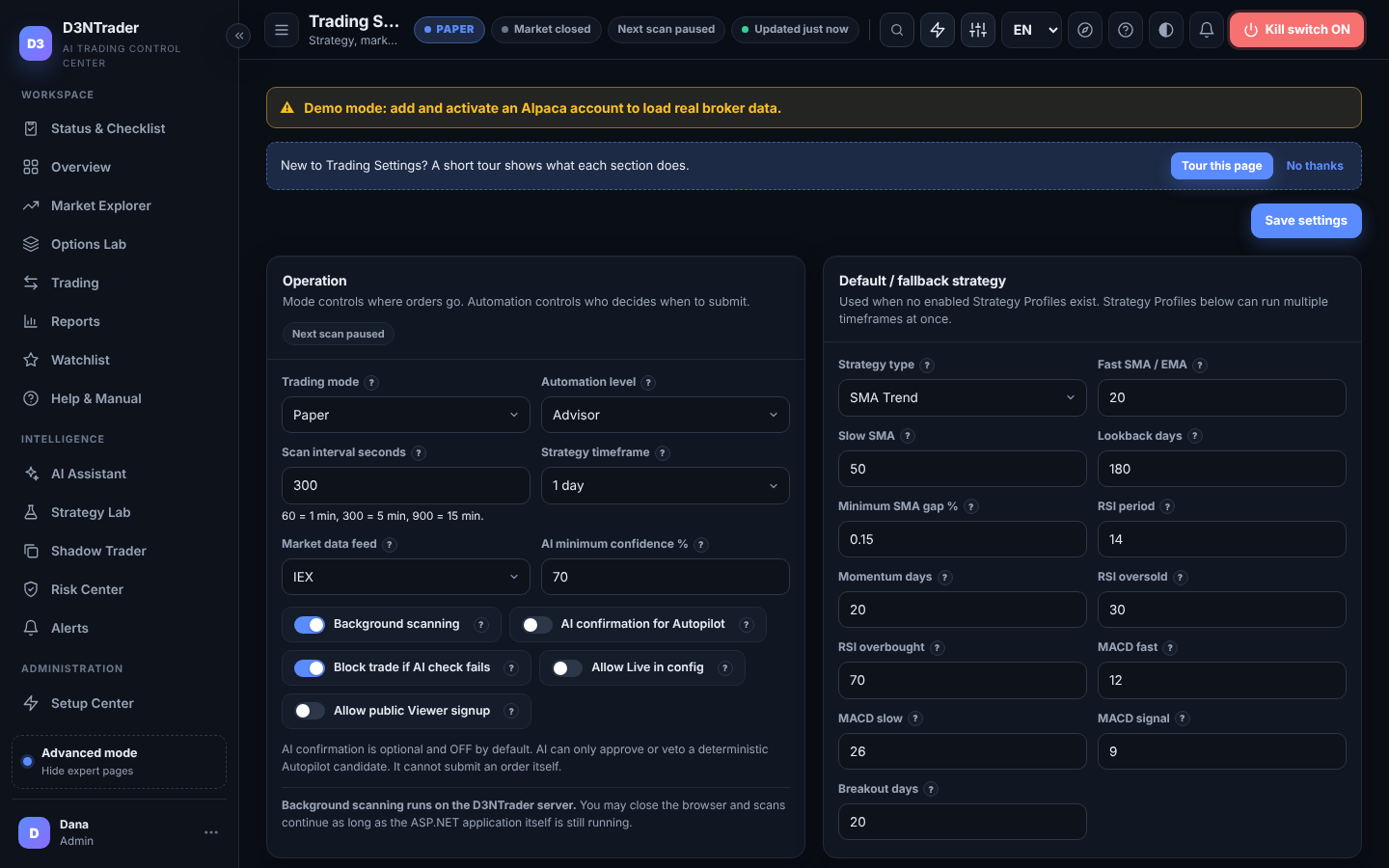
Trading Settings with ? help

Mode, automation, scan interval, data feed, discovery filters and every risk limit, with an unsaved-changes bar and a Live readiness checklist.

Trading Settings
◫
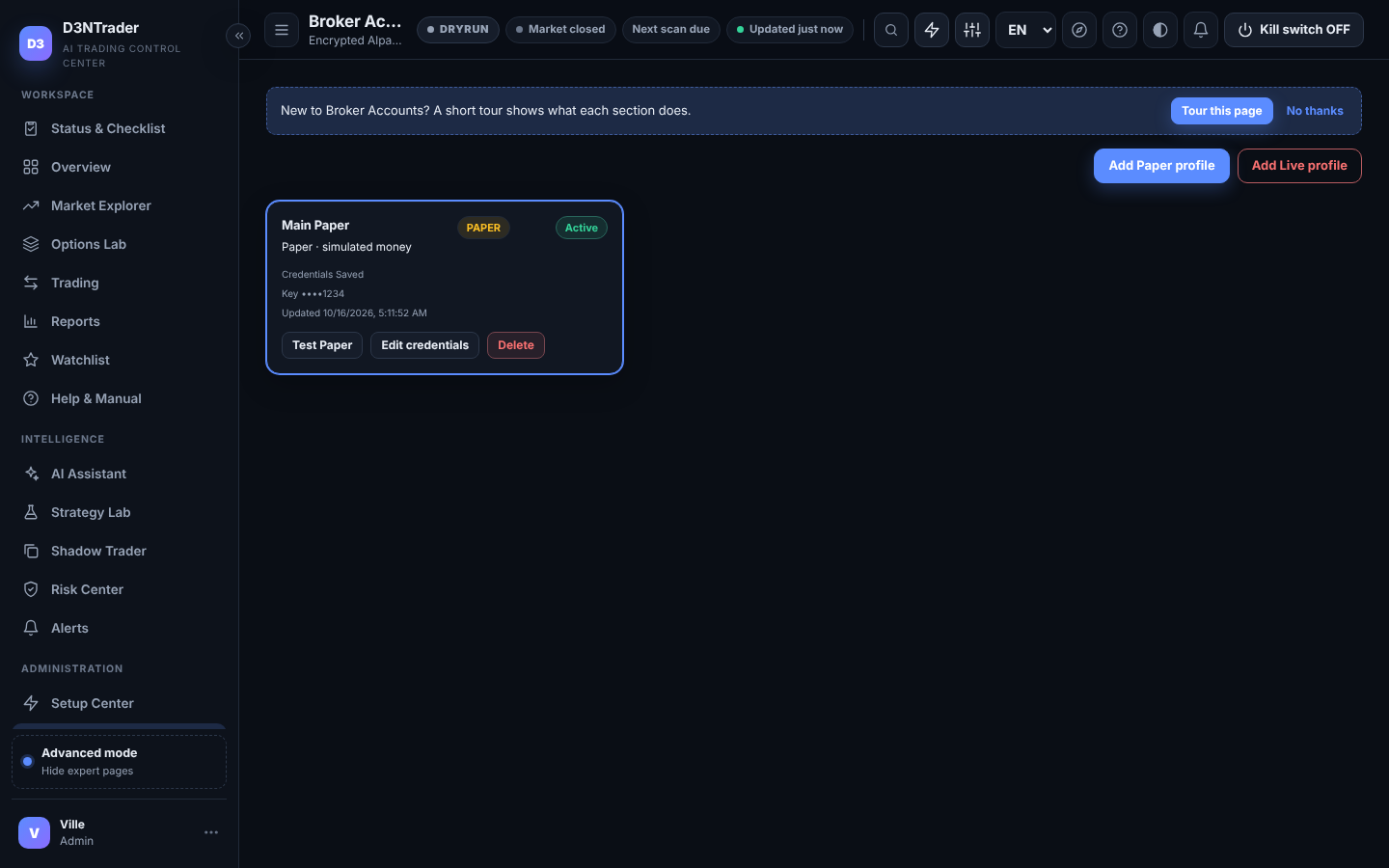
Broker profiles

Separate Paper and Live Alpaca profiles, connection tests, and a safety lock: switching the active profile turns the kill switch ON.

Broker Accounts
▯
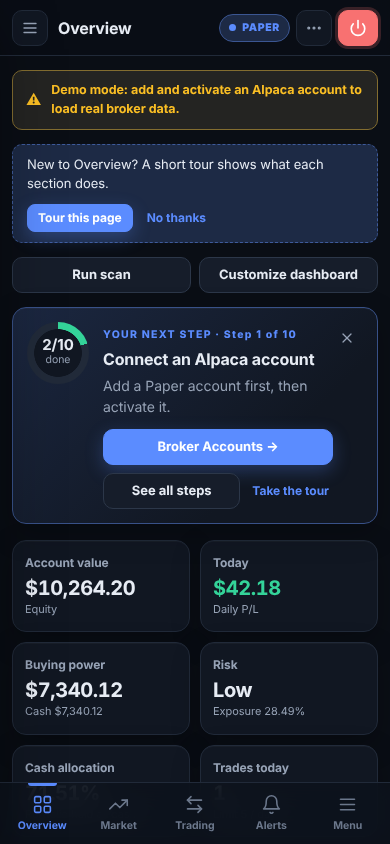
Built for your phone too

A drawer menu, bottom tab bar, card tables and bottom-sheet dialogs. Page tours and a user manual in English and Thai.

Overview on a phone
SAFETY FIRST

Automation stays behind hard controls.

Strategies and AI can generate ideas, but every Paper or Live order, automated or manual, passes deterministic risk checks and a persistent duplicate-order guard first. The kill switch fails closed, is saved per workspace, and survives restarts. Real-money trading requires every one of these, independently:

GATE 1A Live Alpaca profile, active
GATE 2Trading mode set to Live
GATE 3Allow Live in your settings
GATE 4Your workspace approved for Live by the D3NTrader team
GATE 5Server Live gate ON
GATE 6Your typed session unlock
ALWAYSKill switch OFF
ALWAYSEvery risk check passes
Kill switch, saved per workspace
Daily-loss ceiling
Order, position and exposure limits
Cash reserve and cooldown
Persistent duplicate-order guard
No automatic retry after an ambiguous broker error
AI has no broker tool or API secret
Keys encrypted at rest, never shown again
Admin, Trader and Viewer roles per workspace
Audit trail of every change and order
PRICING

Free while we are in beta.

Every new workspace starts on the Beta plan with the full feature set. Paid plans will be announced before billing turns on, and you will never be charged without opting in.

Beta

$0 during beta

Everything, for one Alpaca Paper account and one team.

  • All strategies, Shadow Trader, Reports
  • Bring your own OpenAI / Claude key
  • Email, push and browser alerts
  • Live trading on request, after review
Start free

Pro COMING

— per month

For active traders who want Live and more automation.

  • Everything in Beta
  • Live trading approval included
  • More strategy profiles and faster scans
  • Priority support
Join the beta first

Team COMING

— per month

For small desks: several users, roles and accounts.

  • Everything in Pro
  • Admin, Trader and Viewer seats
  • Multiple Alpaca profiles
  • Audit export
Join the beta first
FAQ

Questions people ask before signing up.

Do I need an Alpaca account?

Yes. D3NTrader connects to your own Alpaca brokerage account with API keys you generate there. A free Alpaca Paper account is enough to start; it uses simulated money with real market prices.

Can it lose my real money?

Not until you deliberately enable Live. New workspaces are Paper only. Live needs a Live profile, Live mode, Allow Live in your settings, approval of your workspace by the D3NTrader team, the server Live gate, your typed session unlock, the kill switch OFF and every risk check. Trading always involves risk; D3NTrader provides tools and controls, not investment advice.

Who can see my API keys and trades?

Keys are encrypted before storage and are never returned to any browser, including yours. Your settings, broker profiles, orders, proposals, decisions, reports and audit trail belong to your workspace and are not visible to other customers.

Does the AI place trades?

No. The AI explains, briefs and researches with your own OpenAI or Claude key. At most it can veto an Autopilot candidate after the deterministic risk checks. It has no broker function, no API secret and no execution path.

What does it trade?

US stocks and ETFs, supported crypto pairs such as BTC/USD (24/7, no market-open gate), and a manual long-option workflow. Options are never part of automation.

Can my team use it?

Yes. As the workspace Admin you add users from the Users page with Admin, Trader or Viewer roles. Only Admins manage broker keys and settings.

START SAFELY

Build confidence before using real money.

Create your workspace, connect an Alpaca Paper account in the wizard, and watch D3NTrader work.